
Manage Dues
Automated accounting at your fingertips: keep track of lineage, dues, and prize fund for each event.
Overview
Each event has its own dues page. Open it from the gear icon next to the event on your Dashboard.
Opening an Event's Dues
1
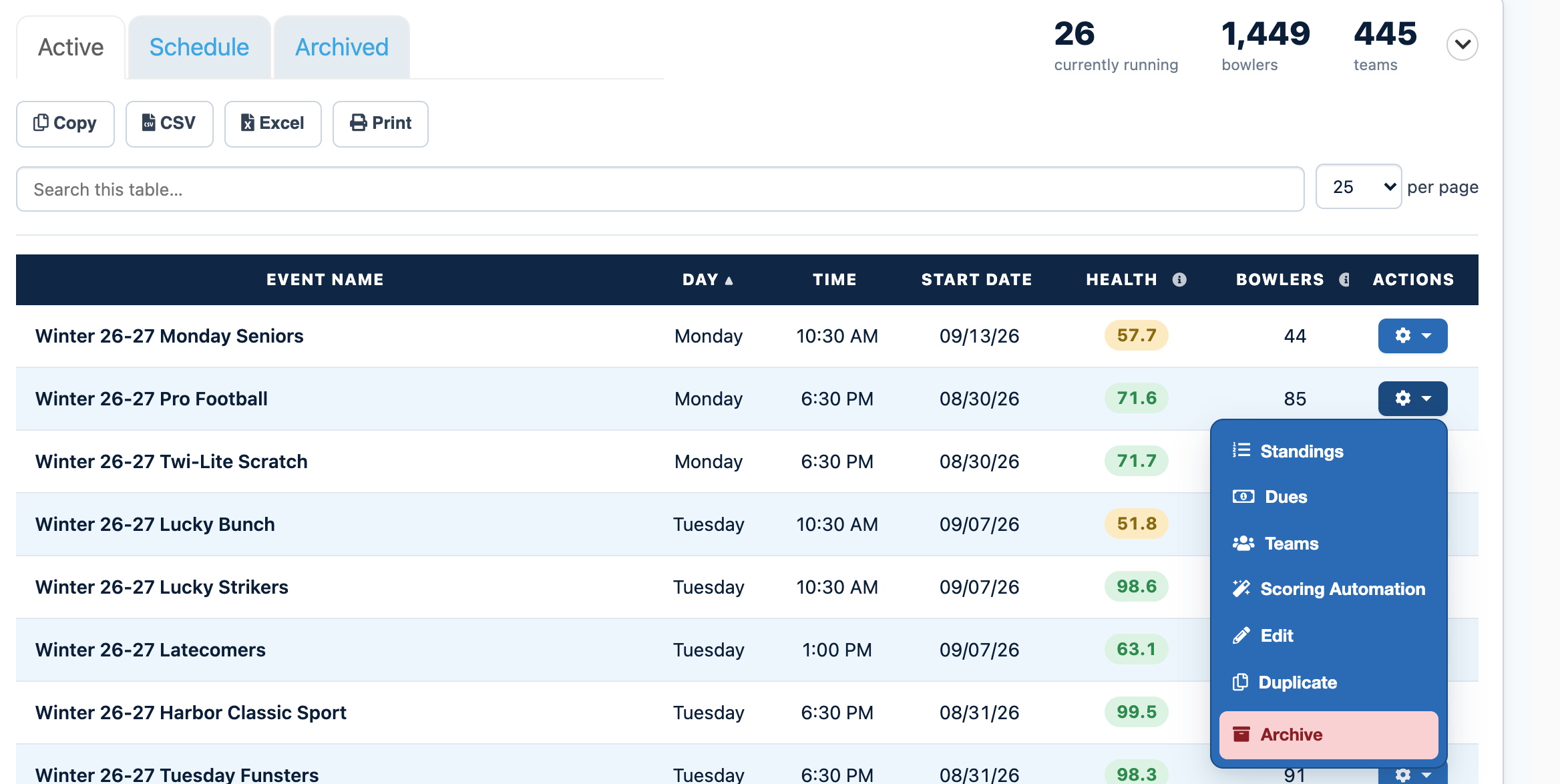
Open the Events tab on your DashboardFrom your LeaguePals Dashboard, click the Events tab. Your current events are listed under Active.
2
Click the gear icon next to your eventFind your event in the list and click the gear icon in the Actions column. If you have a lot of events, type the event name into Search this table to find it faster.
3
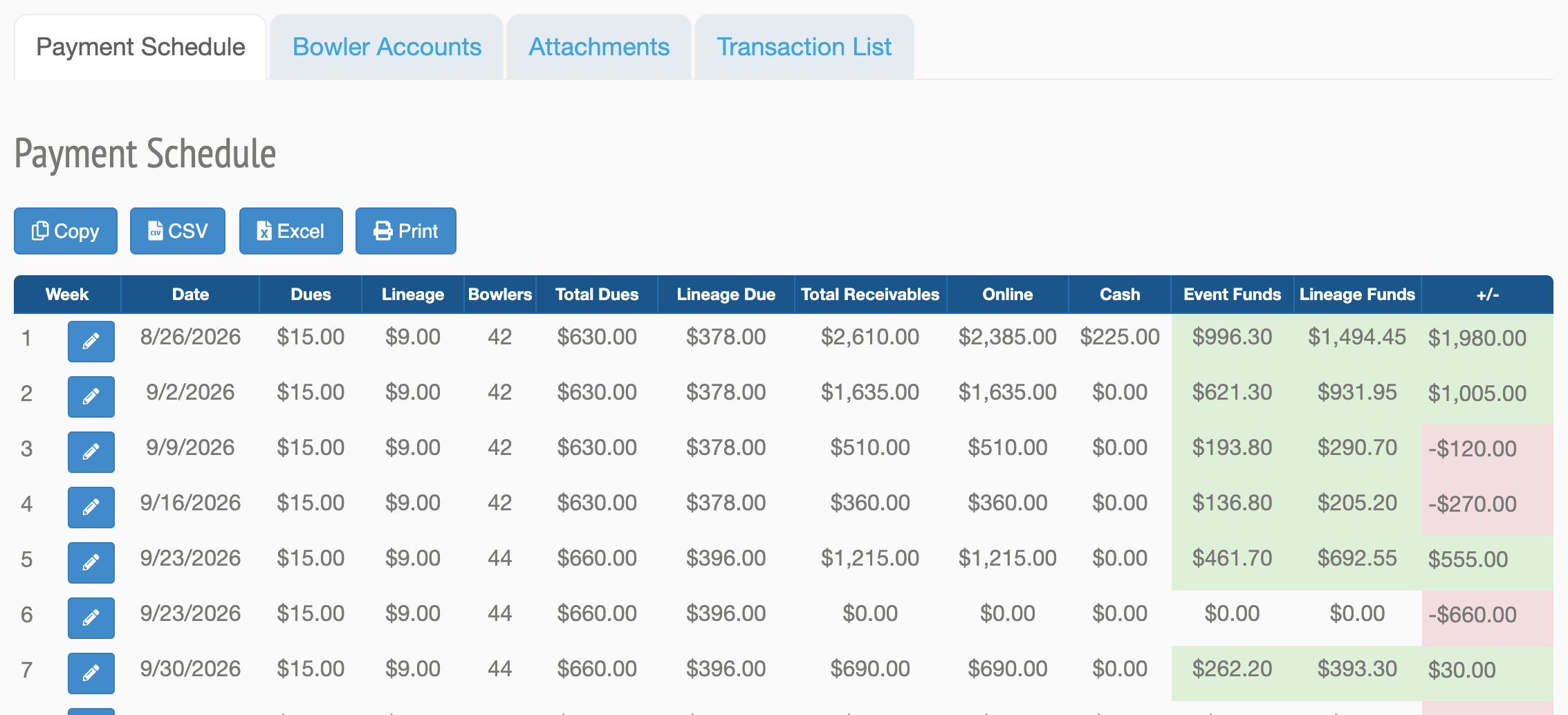
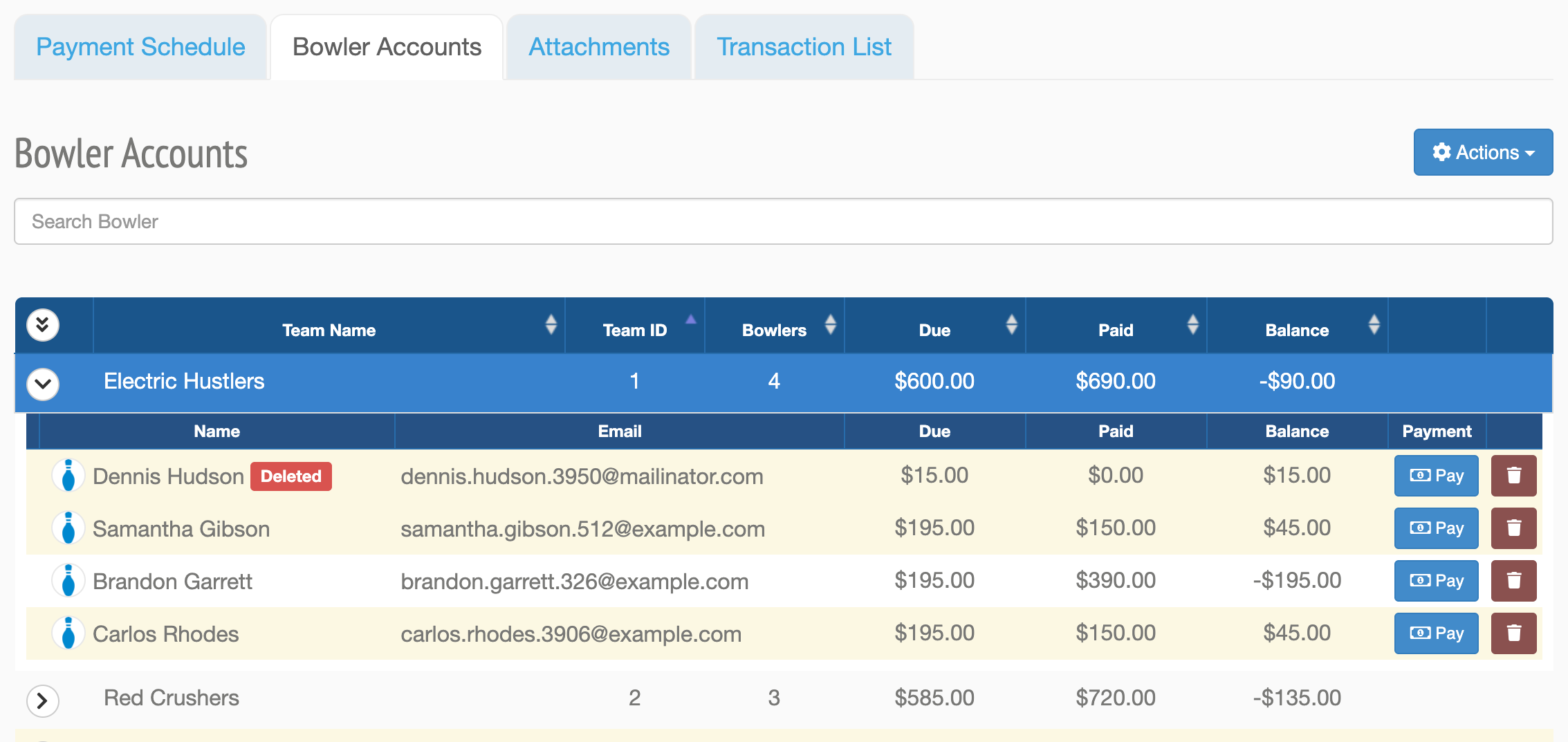
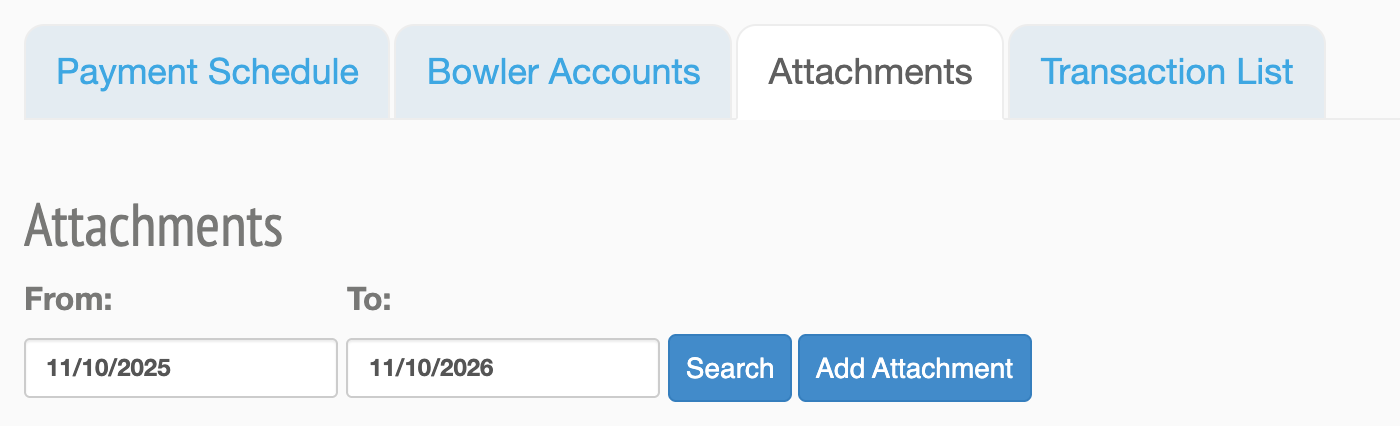
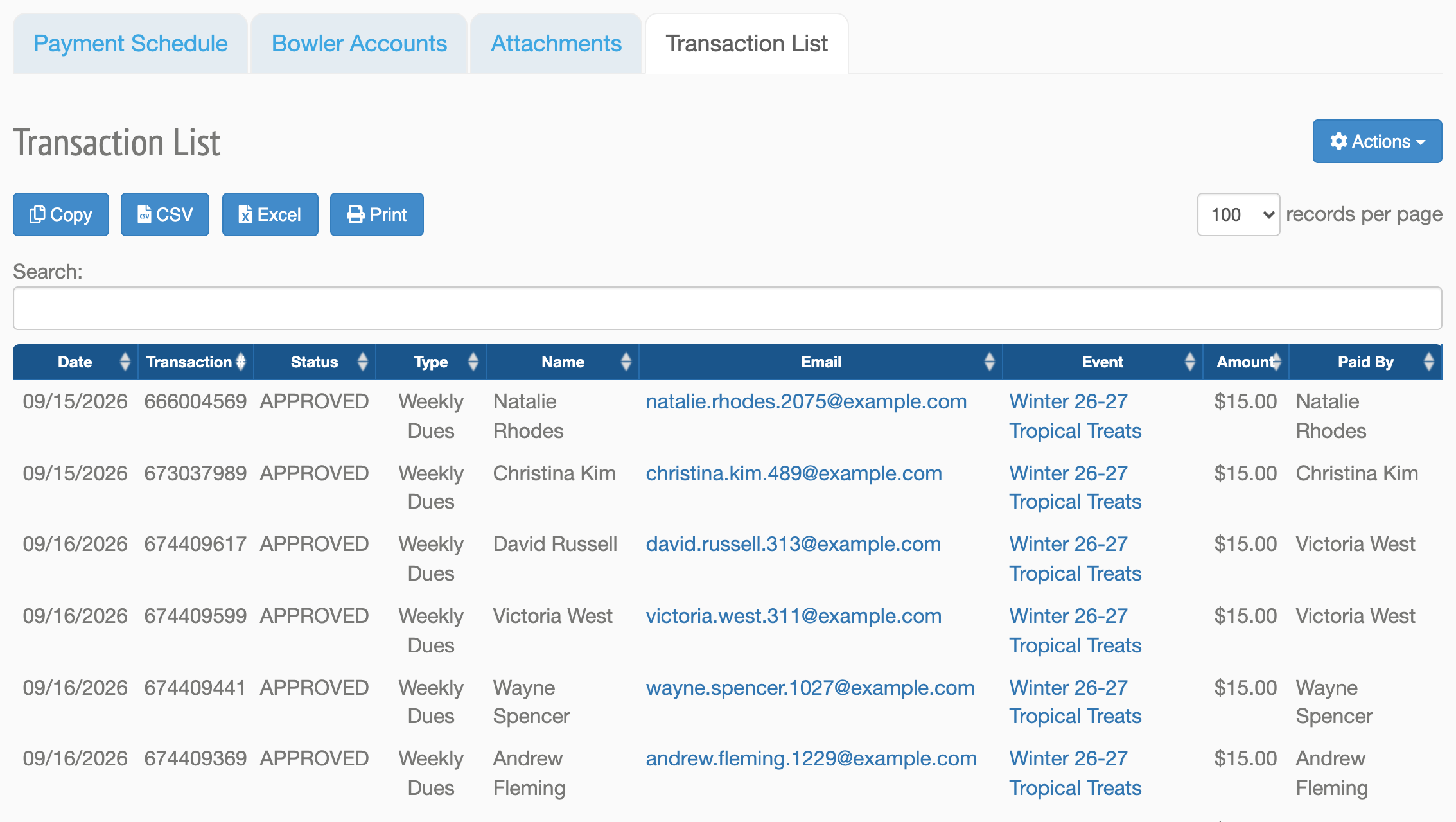
Choose DuesThis opens the event's dues page with the Payment Schedule, Bowler Accounts, Attachments, and Transaction List tabs.
What Is on the Dues Page
Tip
For totals across all of your events, open the Payments tab on your Dashboard.
Can't find your event?
Events from past seasons are no longer in the Active list. Click the Archived tab next to Active on the Events tab to find them.
Need more help?
If you get stuck, submit a support ticket and our team will be happy to help.
Was this article helpful?
That’s Great!
Thank you for your feedback
Sorry! We couldn't be helpful
Thank you for your feedback
Feedback sent
We appreciate your effort and will try to fix the article