Live Standings are a real-time standings view designed for both tournaments and league play, perfect for TVs and large screens inside your center.
This display keeps everyone in sync with live, automatic score updates as games are entered or processed into LeaguePals.
These are the steps to enable in a league:
1. Click to Edit a league's rules
2. On the Scoring tab under the Standings Options click the toggle to enable the Live Standings Page
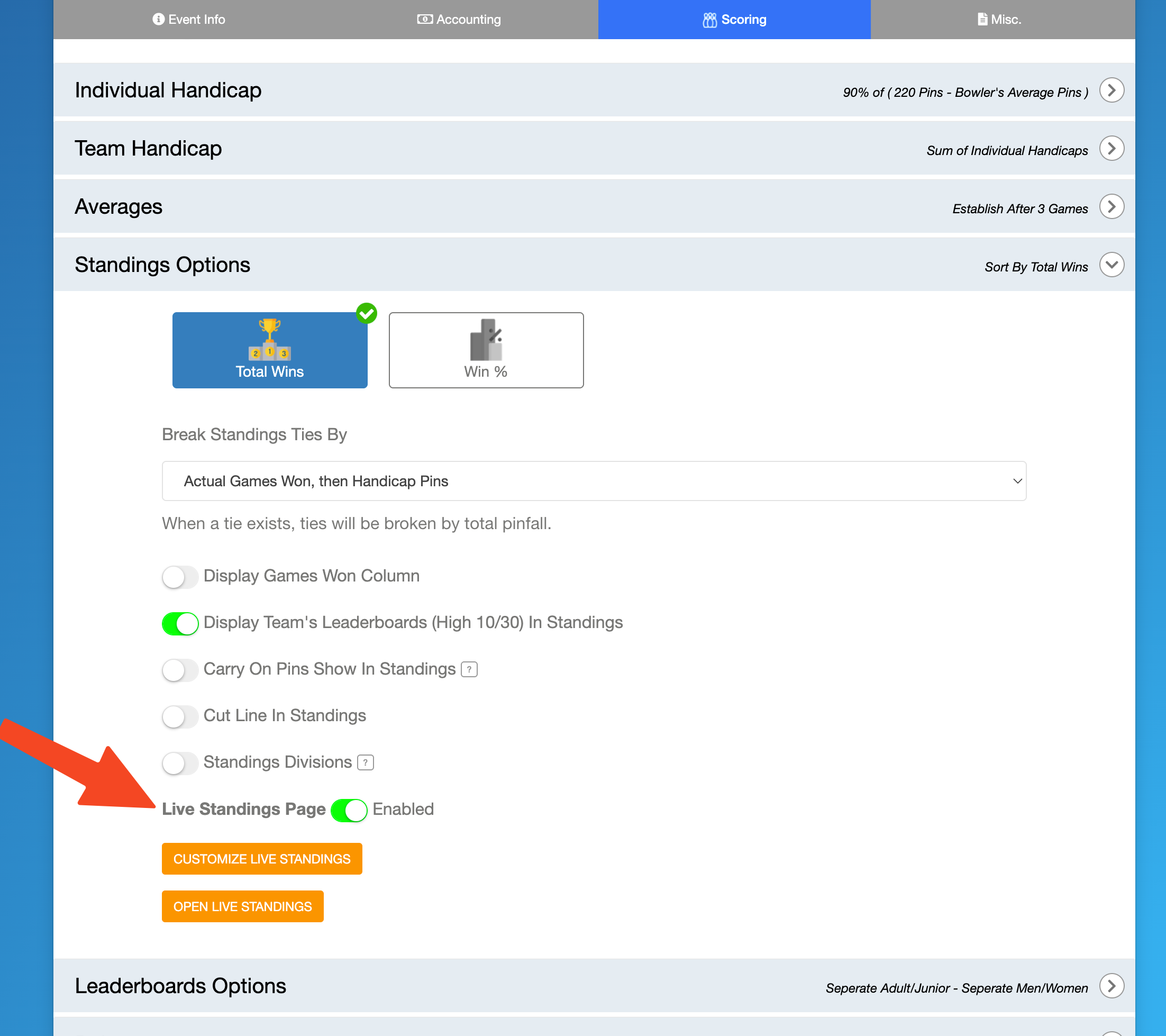
3. You can customize the columns and design of the Live Standings page by clicking Customize Live Standings.
4. Click the Open Live Standings button to generate the live standings page and copy the url if need to share.
Was this article helpful?
That’s Great!
Thank you for your feedback
Sorry! We couldn't be helpful
Thank you for your feedback
Feedback sent
We appreciate your effort and will try to fix the article