
Mass Cash Payments
Record cash payments for many bowlers at once.
Jump to section
Overview
Online payments reconcile automatically, but cash needs to be entered so it reconciles with online payments. Mass Pay lets you enter a whole night of cash in one go.
Step-by-Step: Entering Mass Cash Payments
1
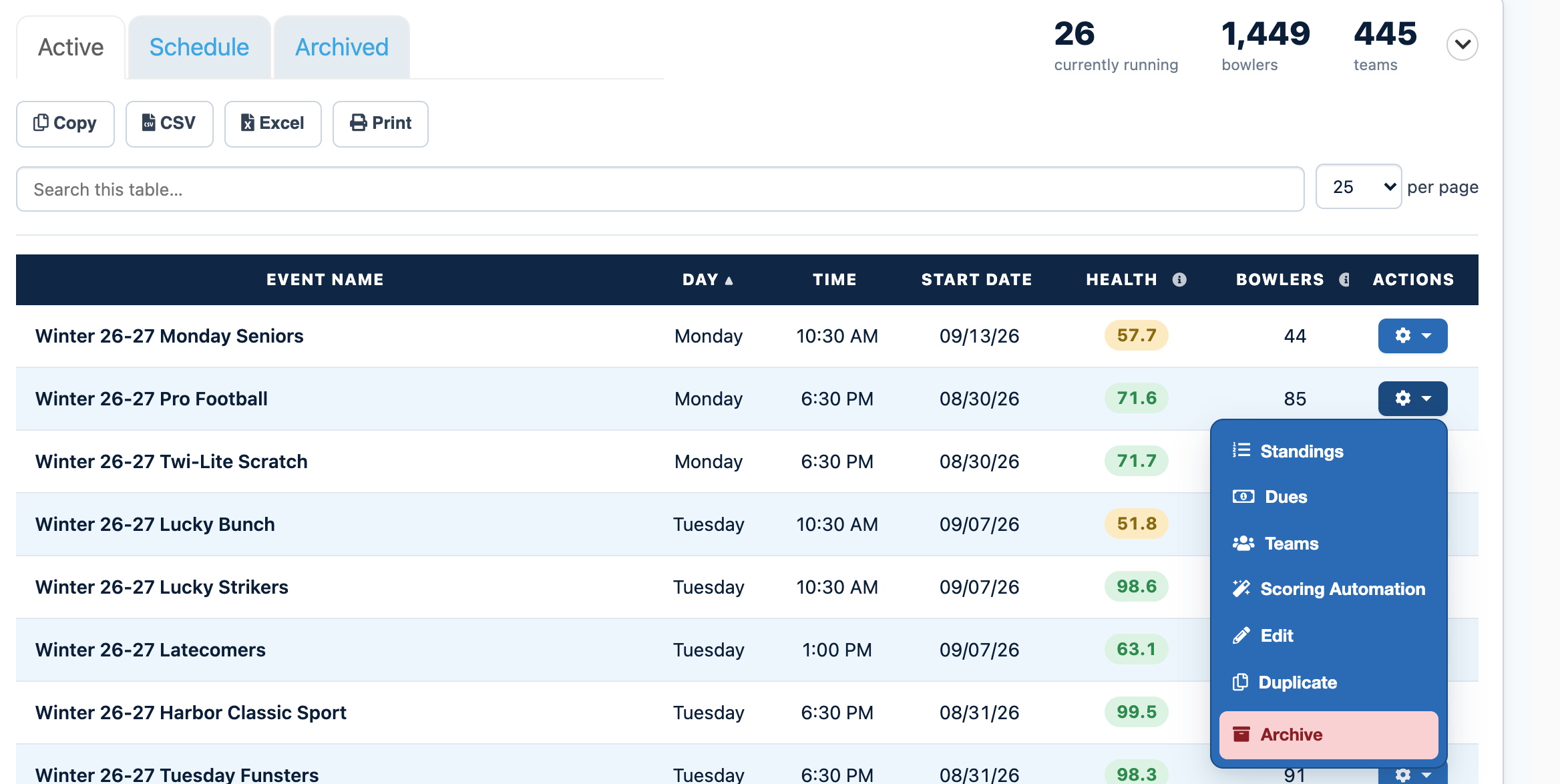
Open the Events tab on your DashboardFrom your LeaguePals Dashboard, click the Events tab. Your current events are listed under Active.
2
Click the gear icon next to your eventFind your event in the list and click the gear icon in the Actions column. If you have a lot of events, type the event name into Search this table to find it faster.
3
Choose DuesThis opens the event's dues page with the Payment Schedule, Bowler Accounts, Attachments, and Transaction List tabs.
4
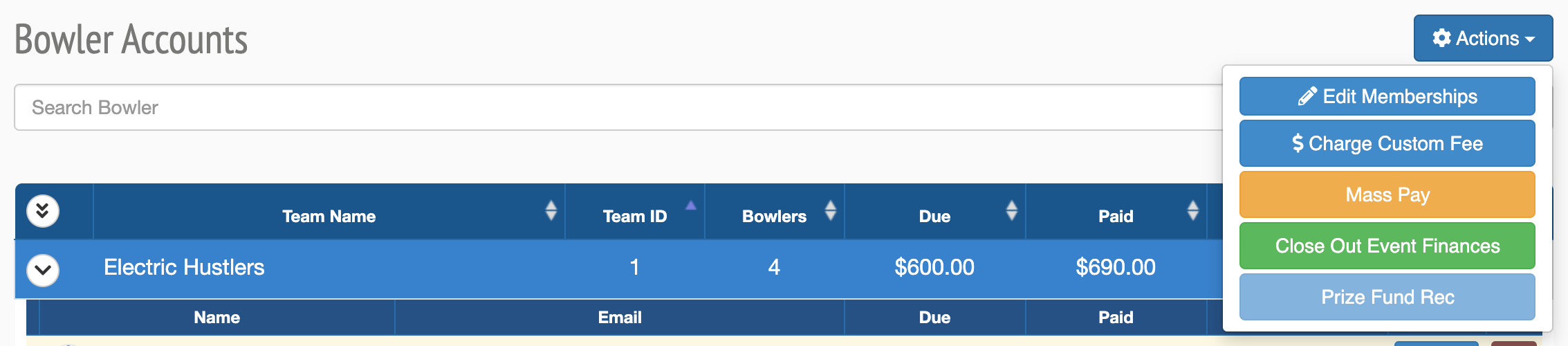
Open Bowler Accounts and choose Mass PayClick Bowler Accounts, then select Mass Pay from the action menu.
5
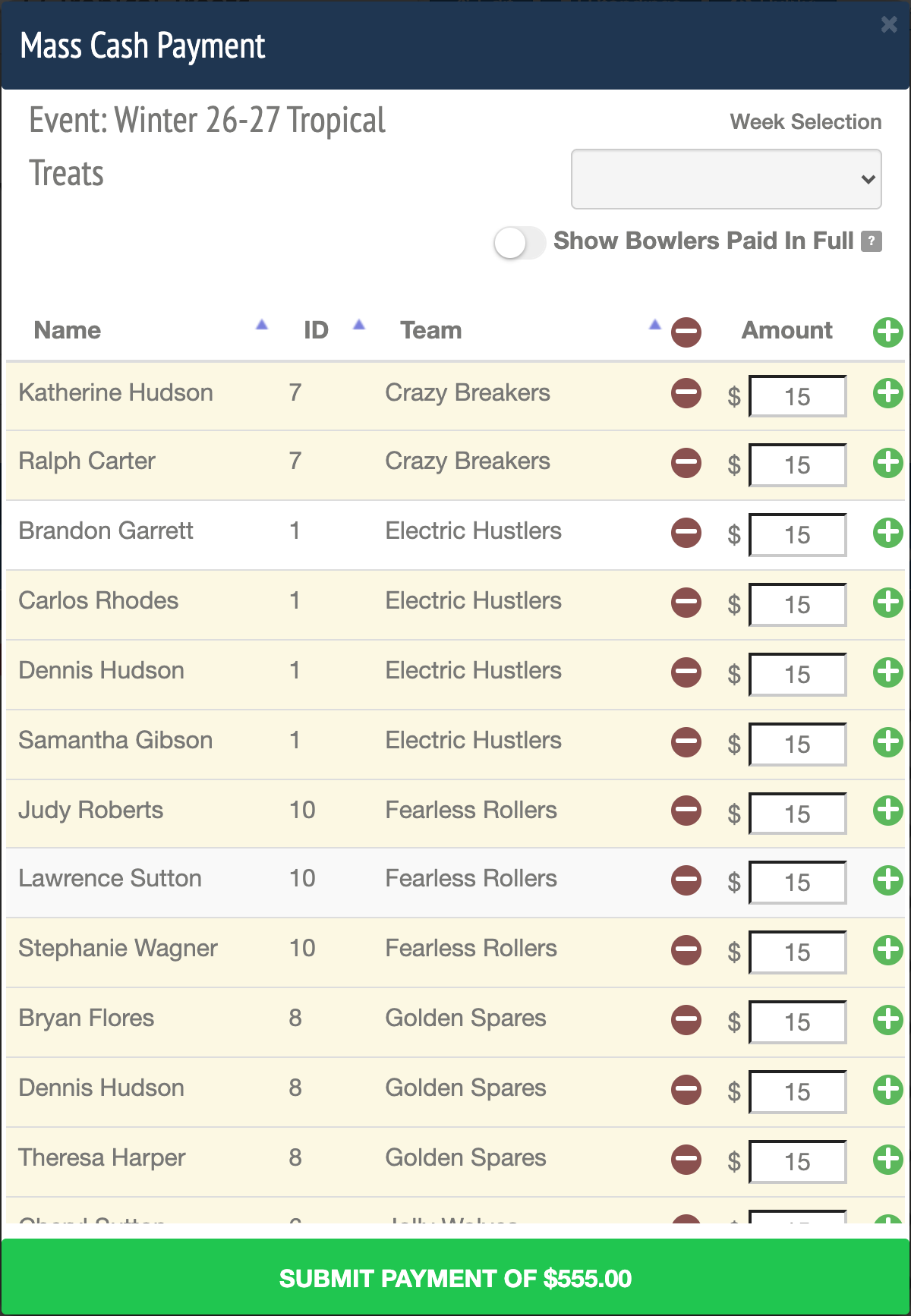
Choose the week and enter each bowler's cashSelect the week under Week Selection, then fill in the cash amount for each bowler.
6
Review the total and submitCheck the total, then click Submit.
Tips and Notes
Made a mistake?
You can fix any cash payment from the Transaction List. See Edit Cash Payments.
Can't find your event?
Events from past seasons are no longer in the Active list. Click the Archived tab next to Active on the Events tab to find them.
Need more help?
If you get stuck, submit a support ticket and our team will be happy to help.
Was this article helpful?
That’s Great!
Thank you for your feedback
Sorry! We couldn't be helpful
Thank you for your feedback
Feedback sent
We appreciate your effort and will try to fix the article