
PBA Membership Declined
What to do when your PBA membership payment does not go through and how to resolve it.
Why Your PBA Membership May Be Declined
PBA membership dues renew automatically through LeaguePals. A declined payment usually means one of the following:
Step 1: Update Your Payment Method
The fastest way to resolve a decline is to update the payment method on your PBA membership directly from your dashboard. Follow these steps:
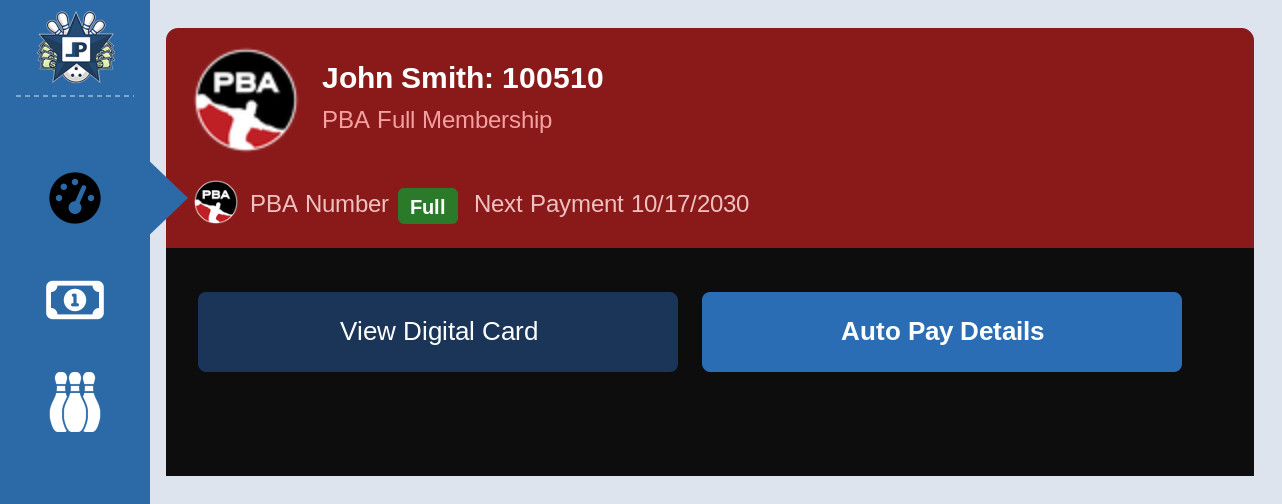
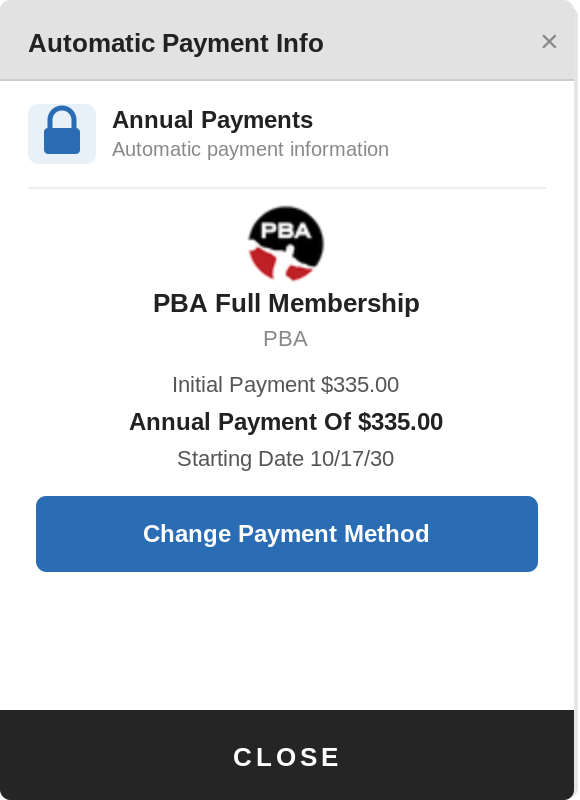
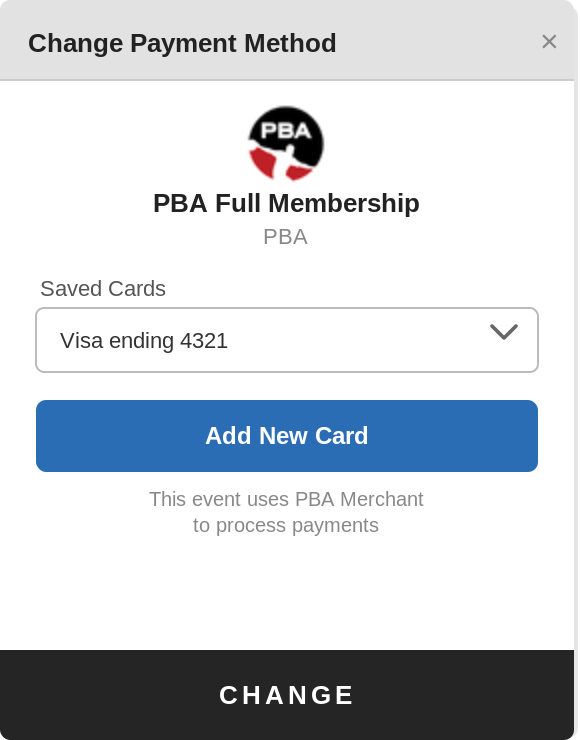
Add your new card first before removing the old one. This ensures you always have an active payment method on file.
If the charge is still failing after updating your payment method, your bank may be blocking the transaction. Contact your bank to check for any holds or fraud blocks, then try again. You can also submit a support ticket and our team will help investigate.
Step 2: Check Card Purpose Setting
The Card Purpose setting does not directly control your membership subscription billing. It is a label that helps identify which card is intended for which type of charge. If you have worked through Steps 1 and 2 and still need help, setting this correctly can assist PBA support in identifying the right card for your account.
To check or update the Card Purpose on a saved card:
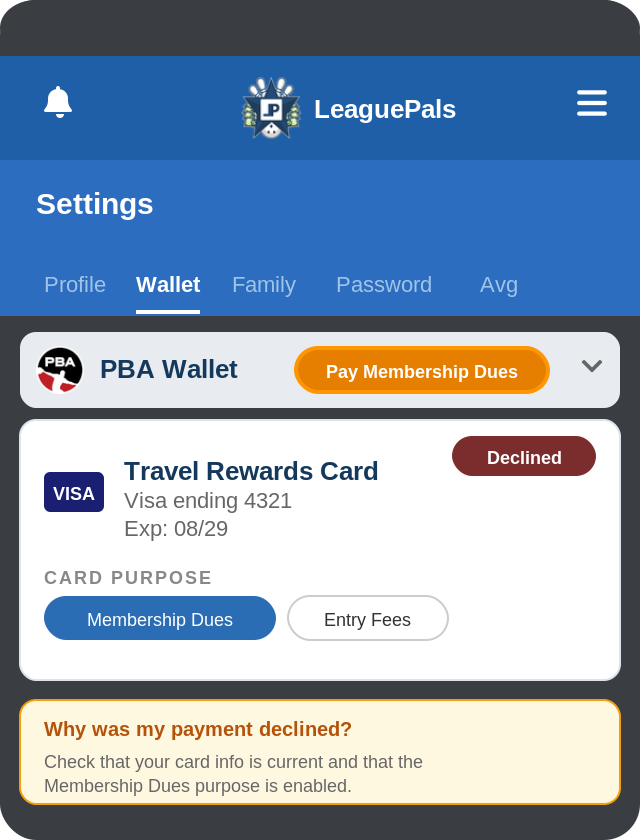
If you have worked through both steps and are still having trouble, submit a support ticket and our team will look into it for you.
Was this article helpful?
That’s Great!
Thank you for your feedback
Sorry! We couldn't be helpful
Thank you for your feedback
Feedback sent
We appreciate your effort and will try to fix the article