1. Click on the "Manage Teams" button in your side bar.
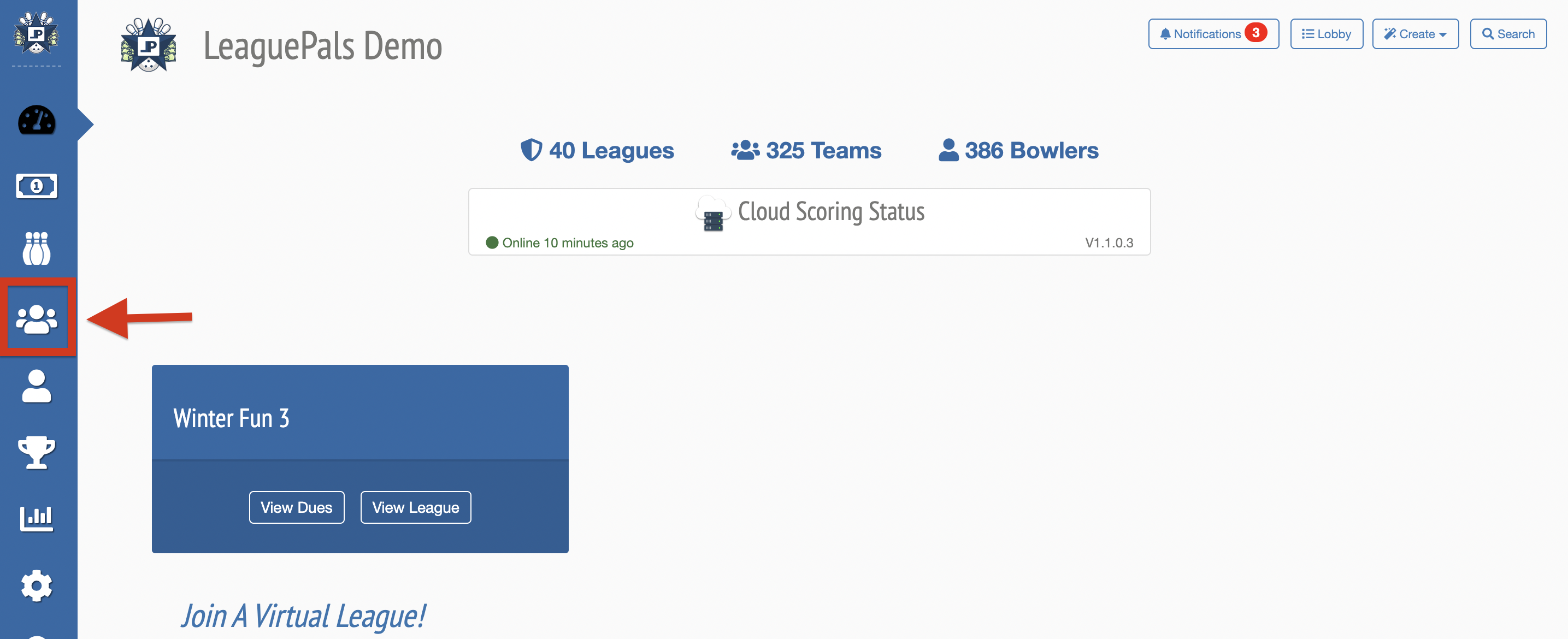
2. Select the League you would like to manage.
3. Scroll down to the deleted teams section and click to expand
4. Click Restore Team button
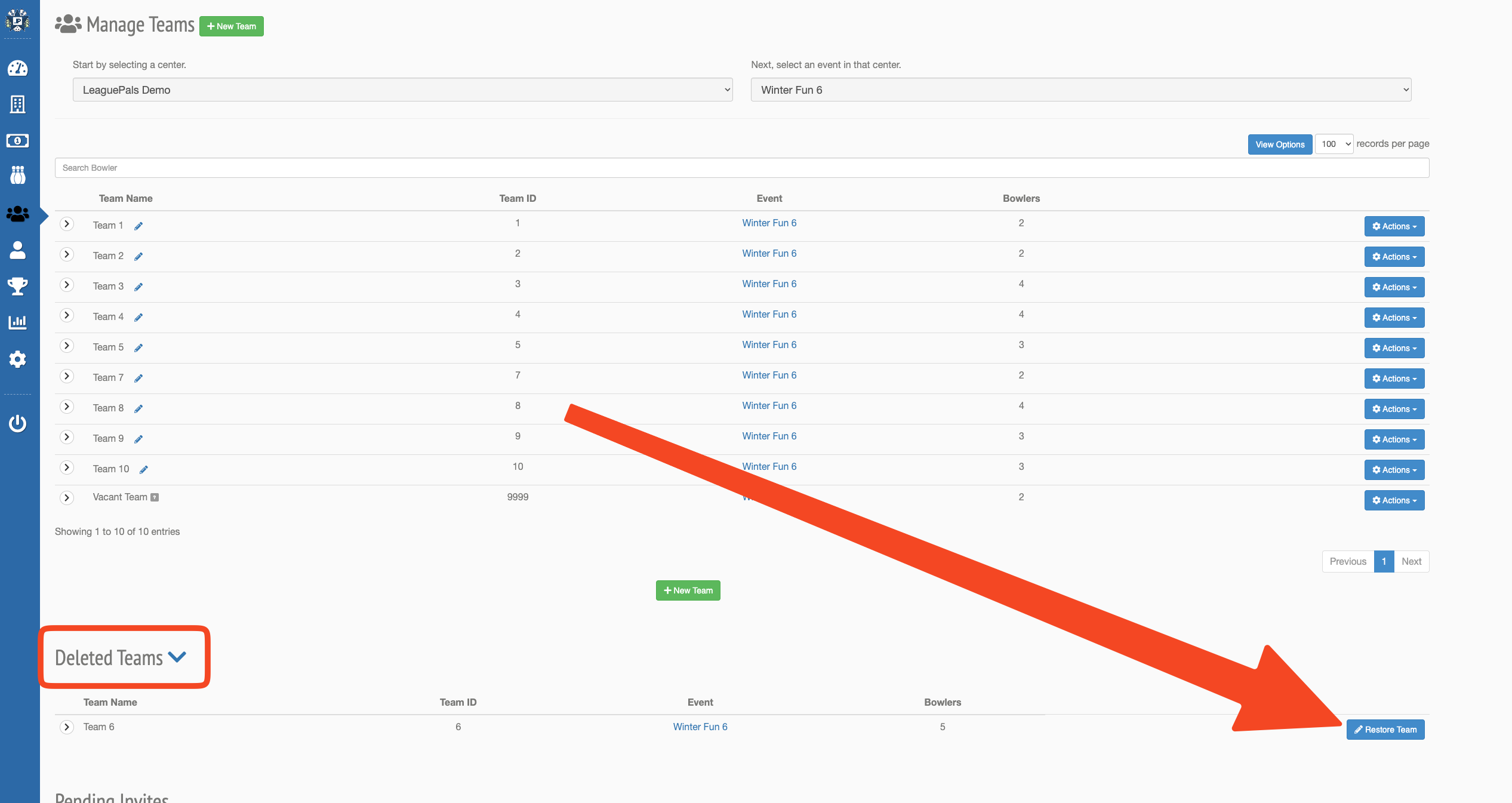
Note: If the original team number is already in use, the next available number will be assigned.
Was this article helpful?
That’s Great!
Thank you for your feedback
Sorry! We couldn't be helpful
Thank you for your feedback
Feedback sent
We appreciate your effort and will try to fix the article