
Update Bowler Profiles and Emails
Update a bowler's profile, including their email, address, gender, and adult or junior status.
Jump to section
Overview
Keeping a bowler's profile up to date makes sure they receive league notifications and that their league information is correct. The most common update is the bowler's email address, so they receive notifications directly.
Step-by-Step: Updating a Profile
1
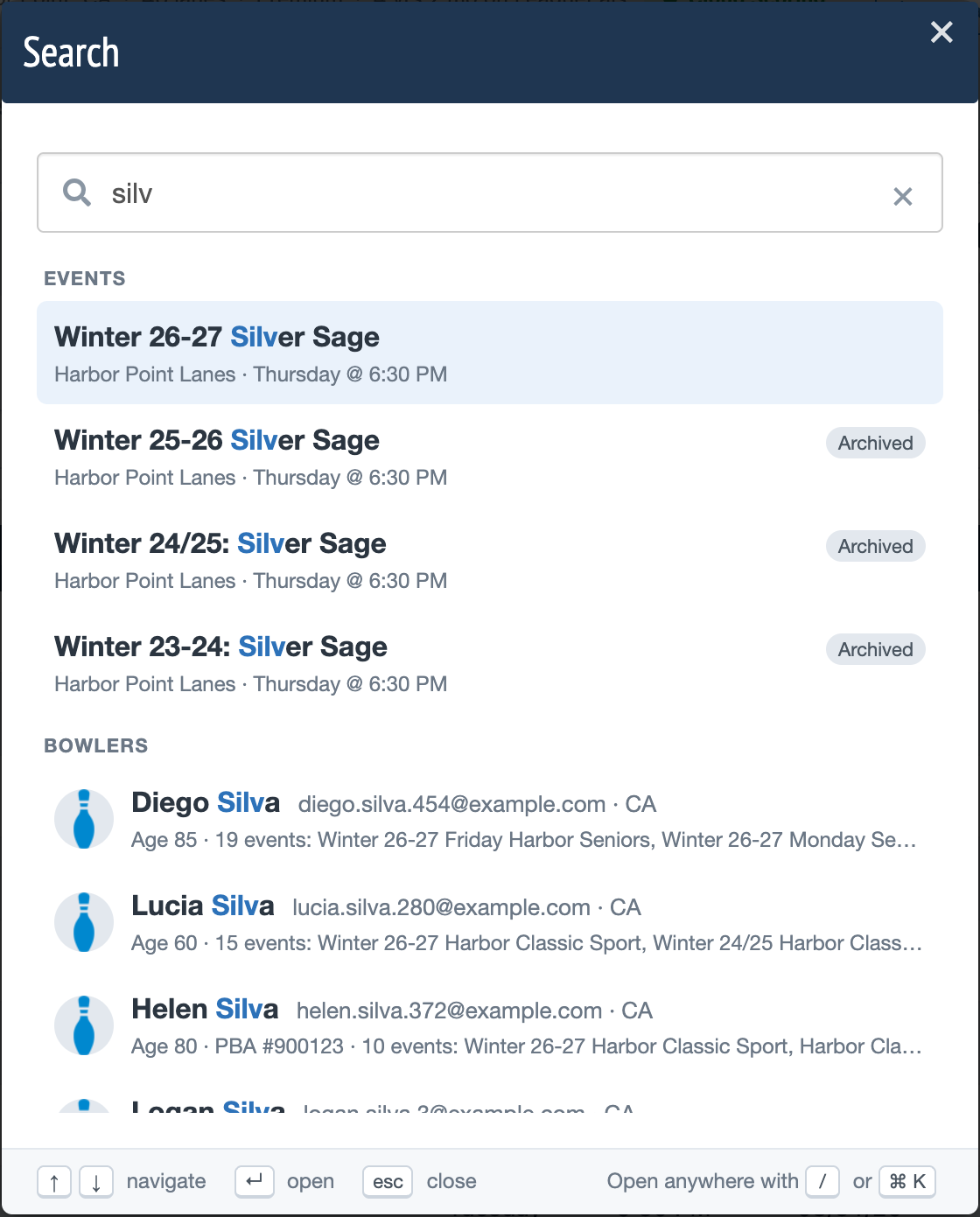
Open SearchClick Search in the top right toolbar, or press the / key.
2
Find the bowlerSearch by the bowler's name, PBA number, LeaguePals ID, or exact email, then click the bowler in the results.
3
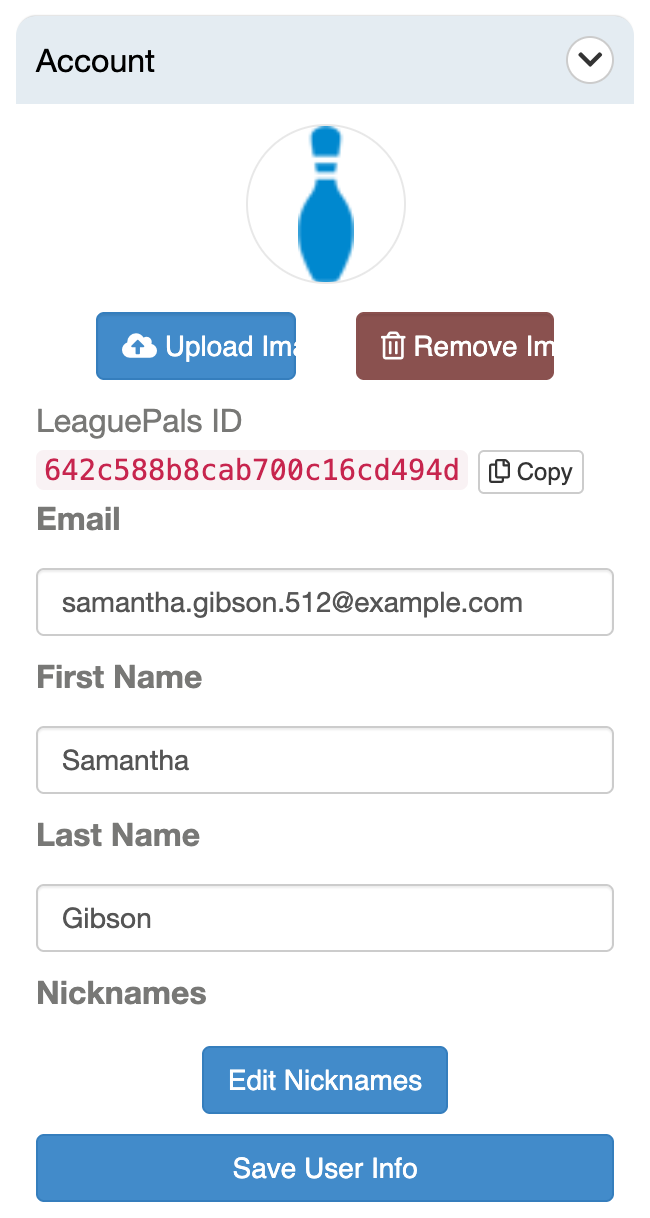
Update the profileUpdate the email or any other profile fields, such as address, gender, or adult or junior status.
4
SaveClick Save User Info to save your changes.
Another Way: From the Teams Page
You can also open a bowler's profile from their team. Click the gear icon next to the event on your Dashboard's Events tab, choose Teams, then click the bowler's name.
Tips and Notes
Tip
From the bowler's profile you can also review their current payment status and payment history.
Need more help?
If you get stuck, submit a support ticket and our team will be happy to help.
Was this article helpful?
That’s Great!
Thank you for your feedback
Sorry! We couldn't be helpful
Thank you for your feedback
Feedback sent
We appreciate your effort and will try to fix the article