
Pre-Bowl and Post-Bowl
Enter pre-bowl and post-bowl scores into a matchup.
Jump to section
Overview
When a bowler bowls before or after league night, you can add those scores to the right matchup.
Step-by-Step: Entering a Pre-Bowl or Post-Bowl
1
Open the Events tab on your DashboardFrom your LeaguePals Dashboard, click the Events tab. Your current events are listed under Active.
2
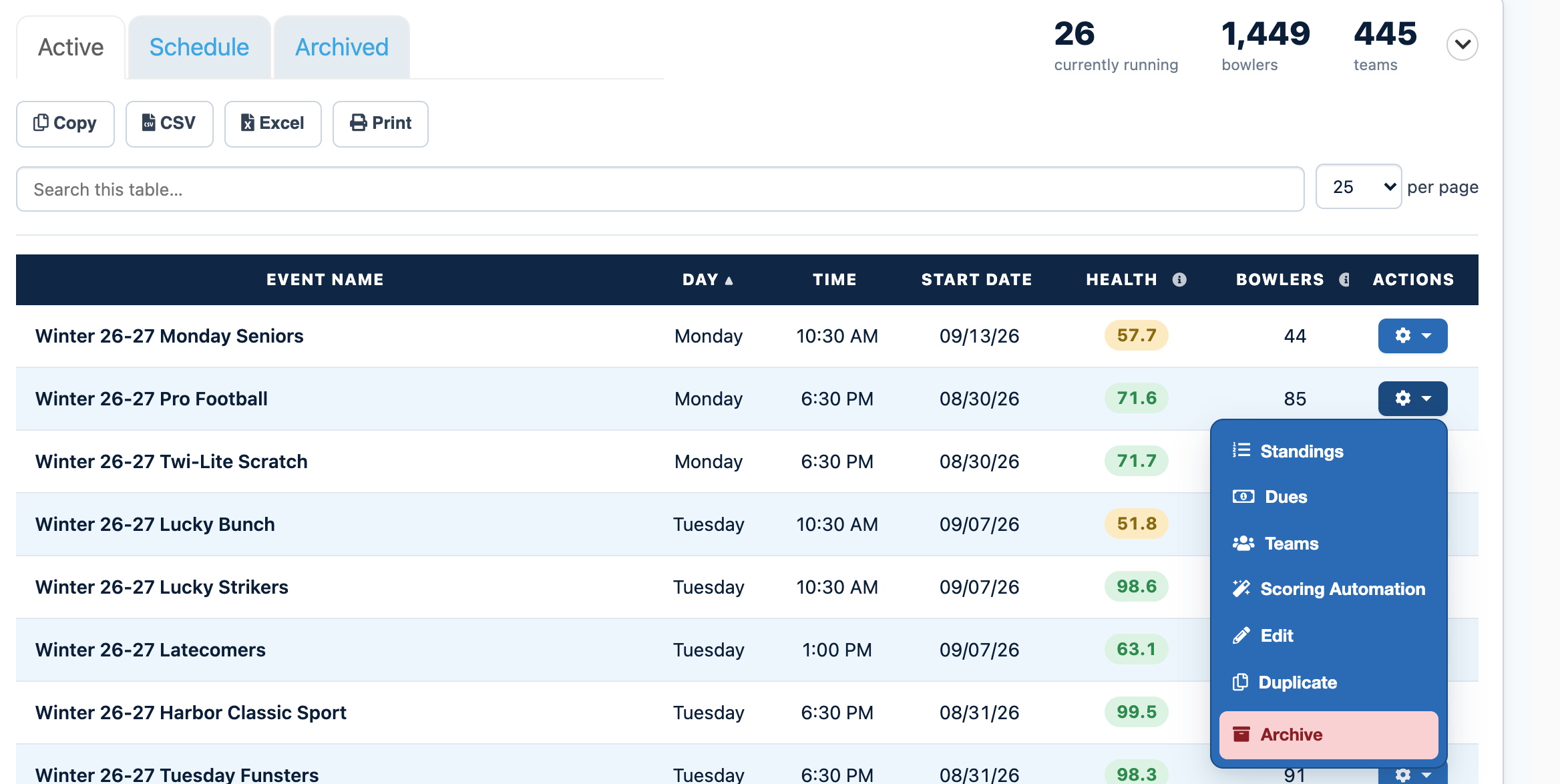
Click the gear icon next to your eventFind your event in the list and click the gear icon in the Actions column. If you have a lot of events, type the event name into Search this table to find it faster.
3
Choose StandingsThis opens the event's main page with its standings, scores, and the Edit Memberships, Edit Substitutes, and Scoring Automation buttons.
4
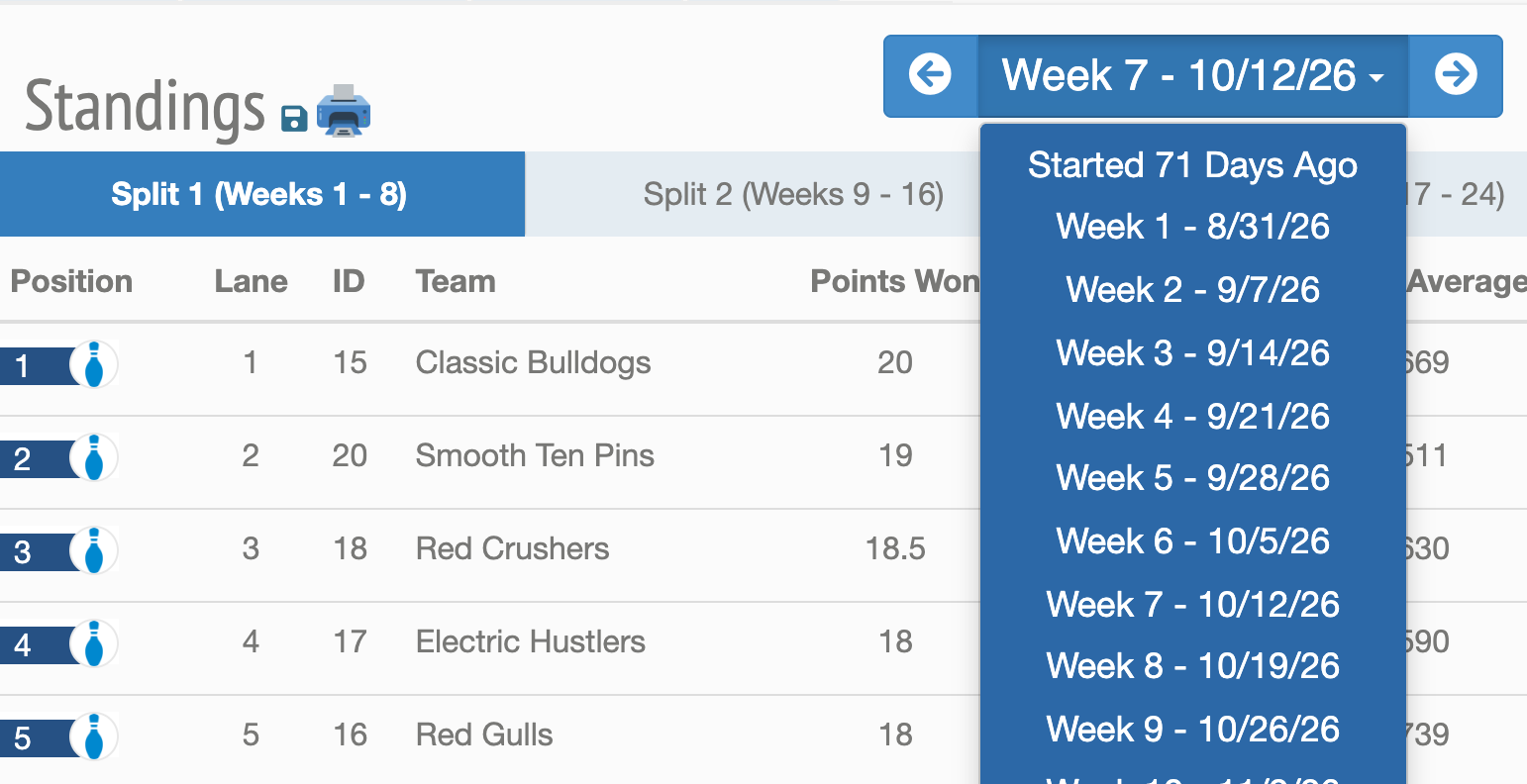
Select the weekUse the week selector next to Standings to pick the week for the pre-bowl or post-bowl.
5
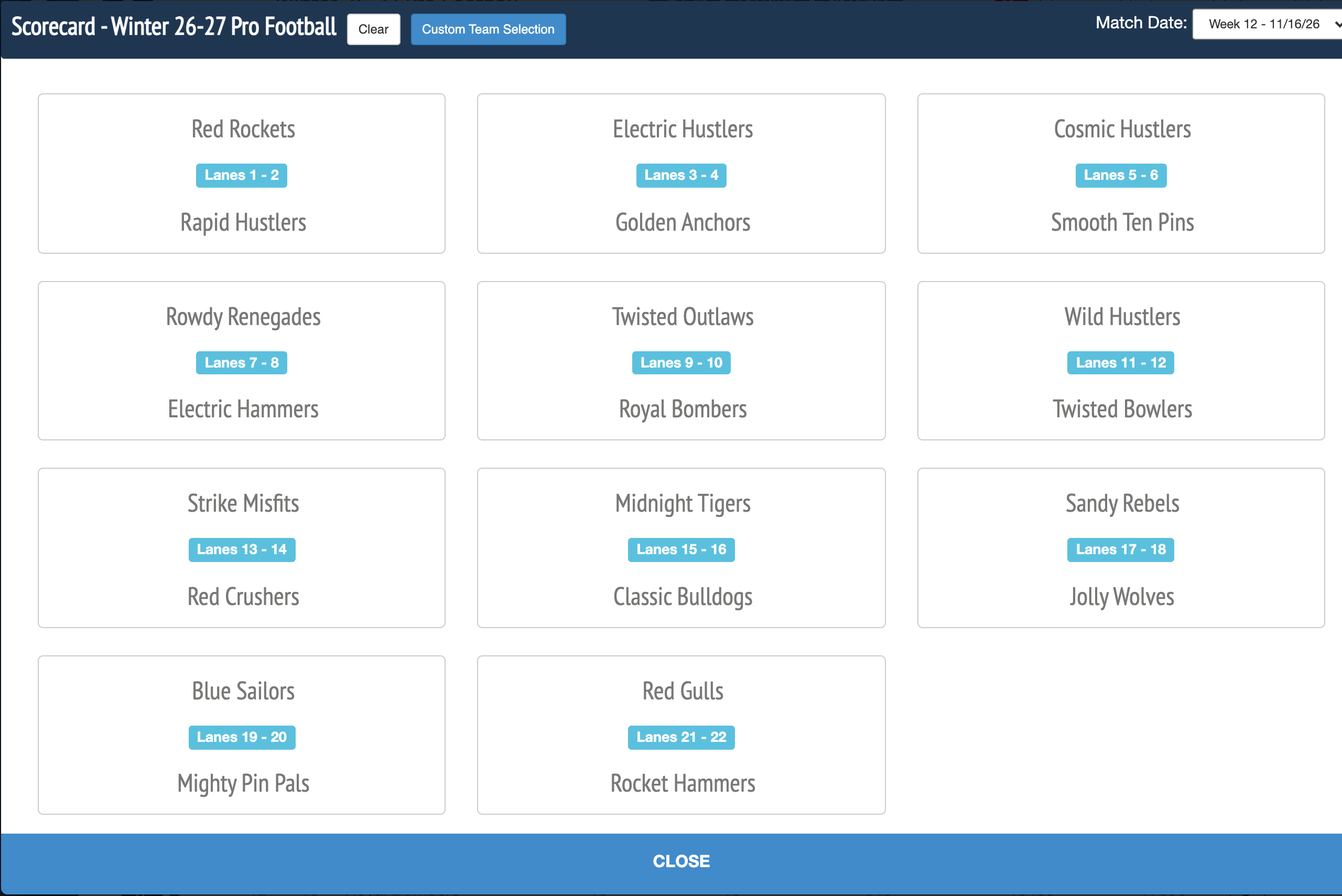
Open the matchupFor a pre-bowl, click Add Matchups below the standings and pick one of the preloaded matchups for this week, or choose your own teams. For a post-bowl, click the bowler's matchup that is already listed below the standings.
6
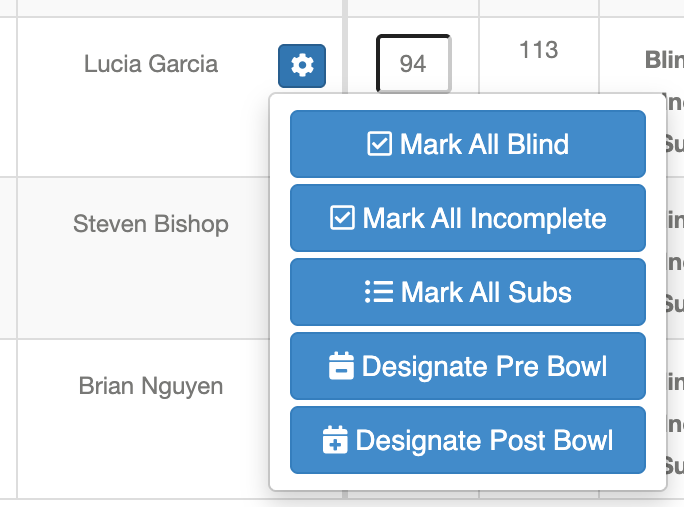
Designate the pre-bowl or post-bowlClick the blue gear icon to the right of the bowler's name and choose Designate Pre Bowl or Designate Post Bowl. Enter the scores and click Add.
7
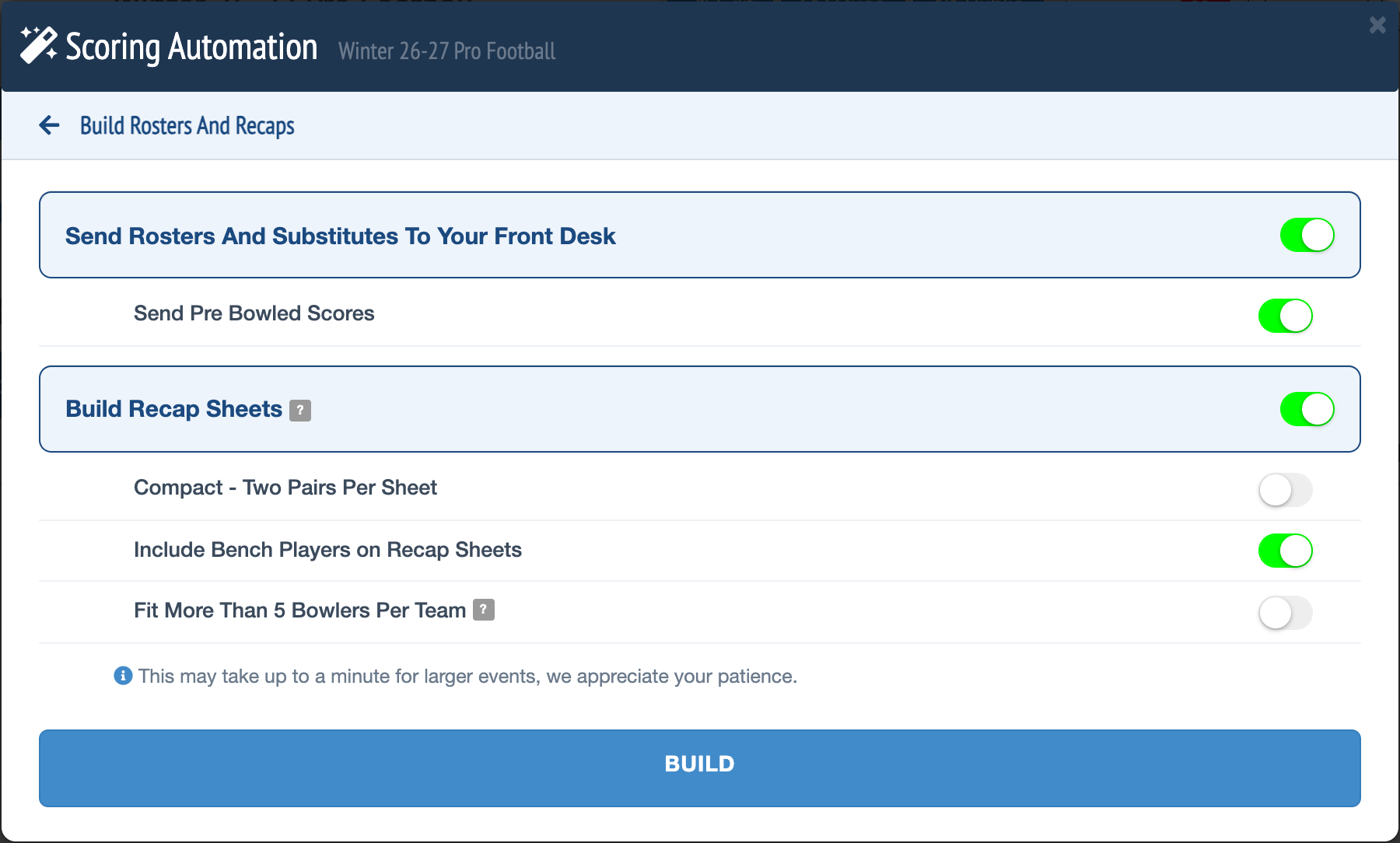
Put pre-bowl scores on recaps (optional)To print pre-bowl scores on recaps and send them to the lanes with your rosters, open Scoring Automation from the event's gear icon and click Build. On the Build Rosters And Recaps screen, turn on Send Pre Bowled Scores, then click BUILD.
Notes
- Need help entering a matchup by hand? See Manual Score Entry.
- Averages are calculated in the order scores are bowled, using all pins and games that have been entered. For example, if weeks 1 and 3 are entered and you add a post-bowl for week 2, the average uses all three weeks.
Can't find your event?
Events from past seasons are no longer in the Active list. Click the Archived tab next to Active on the Events tab to find them.
Need more help?
If you get stuck, submit a support ticket and our team will be happy to help.
Was this article helpful?
That’s Great!
Thank you for your feedback
Sorry! We couldn't be helpful
Thank you for your feedback
Feedback sent
We appreciate your effort and will try to fix the article