
Linking Subs to Leagues
Link a sub to a league so they can see it on their own dashboard.
Jump to section
Overview
Linking a sub to a league lets them see that league on their personal dashboard.
Step-by-Step: Linking a Sub
1
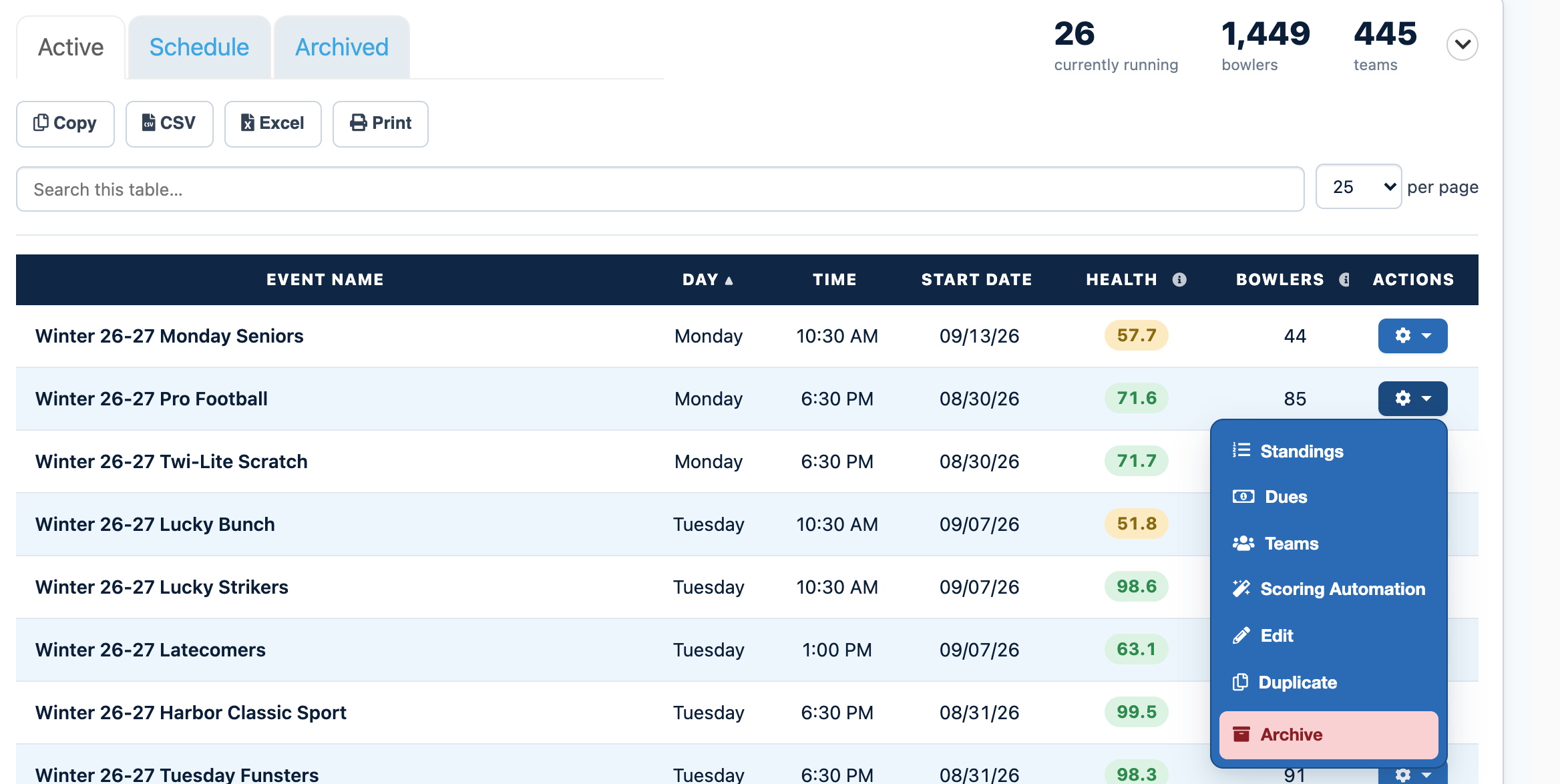
Open the Events tab on your DashboardFrom your LeaguePals Dashboard, click the Events tab. Your current events are listed under Active.
2
Click the gear icon next to your eventFind your event in the list and click the gear icon in the Actions column. If you have a lot of events, type the event name into Search this table to find it faster.
3
Choose StandingsThis opens the event's main page with its standings, scores, and the Edit Memberships, Edit Substitutes, and Scoring Automation buttons.
4
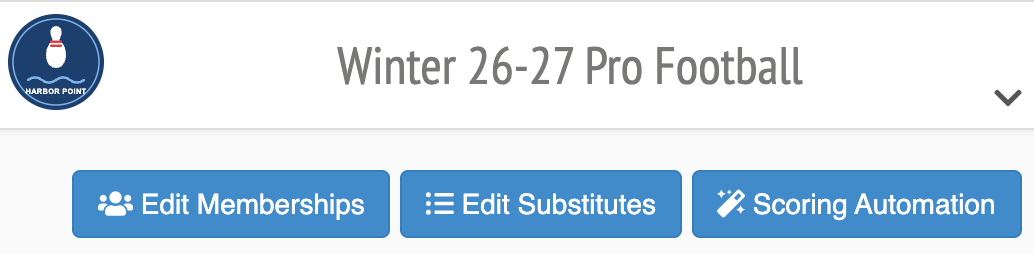
Click Edit SubstitutesClick Edit Substitutes at the top of the event page.
5
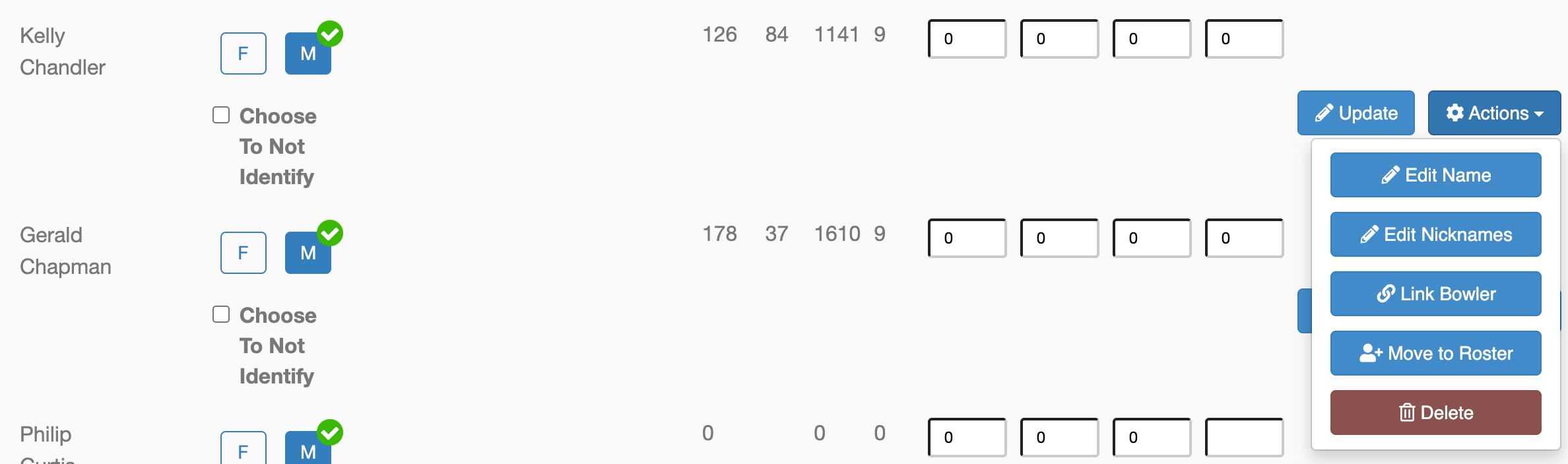
Choose Link BowlerFind the sub, open the action menu next to their name, and select Link Bowler.
6
Find the bowler and updateEnter the bowler's email or search for their name, then click Update. The sub will see the league on their dashboard the next time they log in.
Need help?
Can't find your event?
Events from past seasons are no longer in the Active list. Click the Archived tab next to Active on the Events tab to find them.
Need more help?
If you get stuck, submit a support ticket and our team will be happy to help.
Was this article helpful?
That’s Great!
Thank you for your feedback
Sorry! We couldn't be helpful
Thank you for your feedback
Feedback sent
We appreciate your effort and will try to fix the article